Read your results
Visibility
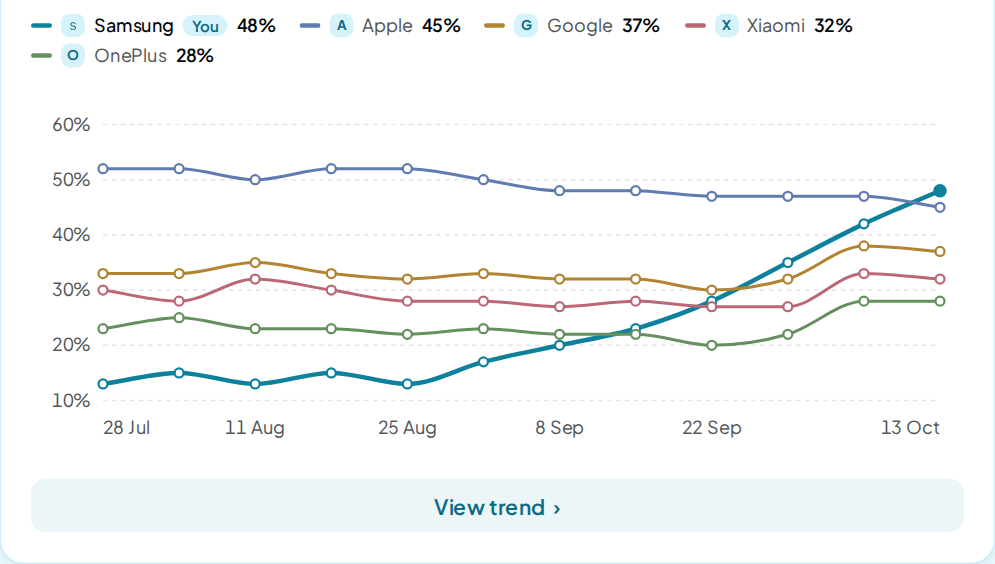
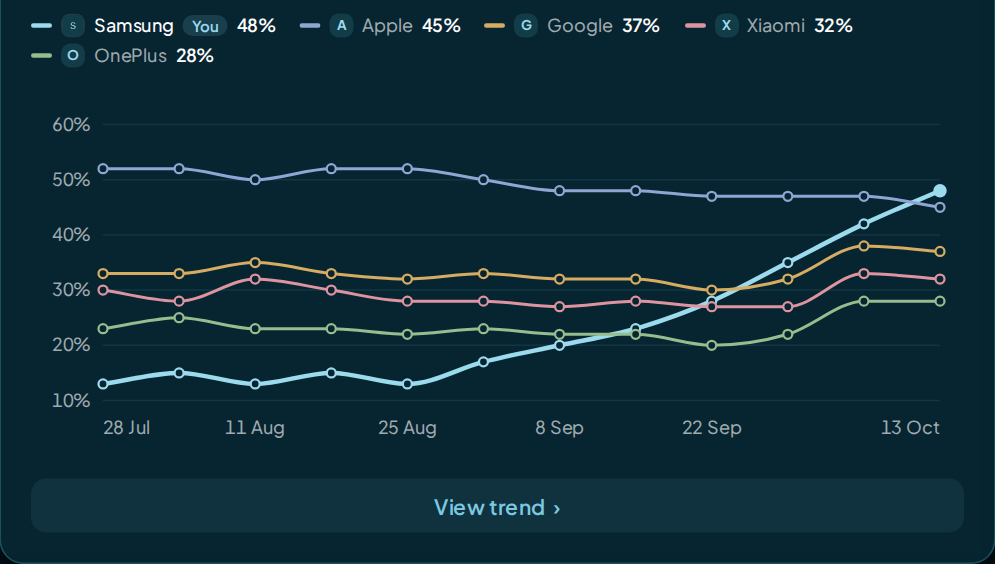
Visibility is the share of AI answers in a run that name your brand.
How it's calculated
Visibility = answers that name you ÷ all answers in the run × 100
An answer is one AI model's reply to one prompt. Each run asks every active prompt to every AI model in your schedule.
What counts:
- An answer names you when it uses your business name, a name under Names & aliases in Brand settings, or your web address.
- Your name counts with or without Ltd, Inc or a similar legal ending. The first word of your name on its own does not count.
- An answer counts once, however many times it repeats your name.
- An answer that failed is left out of both sides of the sum.
- A rival's Visibility uses the same formula: answers that name the rival ÷ all answers.
How it adds up:
- Every answer counts the same, whichever AI model gave it. The tile pools all AI models together.
- The tile reads your latest run. The change beside it is the latest run minus the run before, in points.
- If you compare with an earlier period in the date picker, the change is read against the last run in that period.
- Each point on a trend chart is one run. The D, W and M buttons group runs by day, week or month. A group with several runs shows their average.
- Visibility shows as a whole percent. A change is the gap between two rounded values.
The Prompts page is the one exception. Its Visibility tile and column add up every run in the time window you pick.
Example
A run asks 10 prompts to the 4 AI models in the Standard set. That makes 40 answers, and 10 of them name you.
10 ÷ 40 × 100 = 25%
The tile shows 25% and "10 of 40 answers". Now say 4 of those answers failed, none of them naming you. The base drops to 36, so Visibility is 10 ÷ 36 × 100 = 27.8, shown as 28%.
A rival named in 16 of the same 40 answers has a Visibility of 40%.
Reading it
Higher is better. Compare yourself with your rivals, not with a fixed target.
The same prompt can get a different answer each time it is asked. Read the trend over several runs before you act on one change.
1 run beside the figure means it rests on one run of your prompts, so treat it as one sample.
On Overview and Insights the tile reads your latest run, so the label shows there. On Prompts, it shows when the time window holds a single run. The report and its PDF carry the same label.
With fewer than 10 answers in view, Insights warns that the sample is small. An AI model or stage with fewer than 3 answers shows a dash instead of a number.
What moves it
- Pages on your site that answer the questions in your prompts plainly.
- Listings on the sites AI answers link to. Your To-do list names them.
- Your prompts. Pausing, adding or deleting prompts changes what each run asks.
- Your AI models. A bigger model set adds AI models that may name you more or less often.
- Your names. A name added under Names & aliases counts from the next run.
Where to find it
- Overview: the Visibility tile, the Visibility over time chart and Visibility by AI model. The Top rivals and Top prompts tables carry a Visibility column too.
- Insights: the same tile, the trend card, the rivals board and the Performance matrix. Filter by topic, AI model, location, stage or rival.
- Prompts: a Visibility tile and a Visibility column for each prompt, over the time window you pick.
FAQ
Why is my Visibility low when ChatGPT named me for my own prompt?
One answer is one sample. AI models can answer the same prompt differently each time. Visibility counts every answer in the run, so it gives the steadier picture.
Does a failed answer lower my Visibility?
No. An answer that failed is left out of the count entirely. Only answers that came back are counted.
Why does the Prompts page show a different Visibility?
The Prompts page adds up every run in its time window, for the prompts in view. Overview and Insights read your latest run, except Overview's Top prompts, which adds up your last 12 runs.
Does a new alias change my past runs?
No. A name you add in Brand settings counts from the next run. Stored runs keep the verdicts they had.