API
API quickstart
Make your first calls to the remake API: read a brand's numbers, start a run, and wait for it to finish. You need a terminal with curl.
Before you start
- A remake account with at least one brand.
- For the run steps: a schedule on that brand, and credit in your wallet.
- An owner account. A Viewer seat can't create keys.
The API lives at:
https://app.tryremake.com/v1
Create a key
- Open Your AI and go to API keys.
- In the API keys card, type a name in Create a key, such as "Reporting".
- Click Create key.
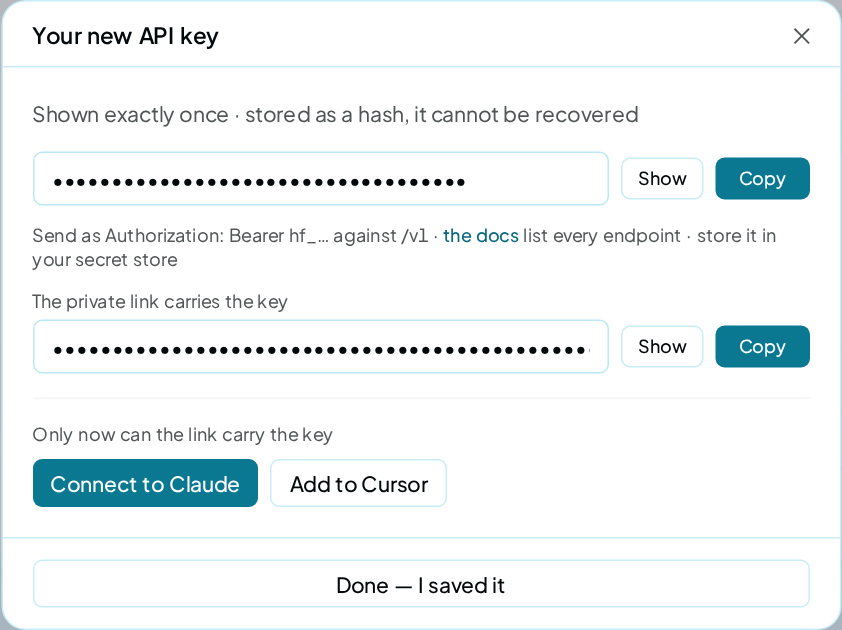
- In Your new API key, click Copy and store the key somewhere safe.
- Close the dialog with the button that says you saved it.
The key is shown once
The key starts with hf_ and is shown once only. If you lose it, revoke it and create a new one. An account can hold 5 live keys.
Make your first call
Send the key in the Authorization header on every call:
export HF_KEY=hf_YOUR_KEY

curl -s https://app.tryremake.com/v1/me \
  -H "Authorization: Bearer $HF_KEY"
The answer shows your account, your wallet and your rate limit:
{
  "account": "you@agency.example",
  "wallet": {"balance_mills": 50000, "low": false, "empty": false},
  "rate_limit": {"limit": 120, "window_seconds": 60, "per": "account"}
}
Money in the API is in mills: thousandths of a dollar. 50000 is $50.00.
Find your brands
A brand is known by its website domain. List every workspace and its brands:
curl -s "https://app.tryremake.com/v1/workspaces" \
  -H "Authorization: Bearer $HF_KEY"
Each brand in items[].brands[] has a domain. Use it as {brand} in the calls below. Keep it in a variable, as the calls below do:
BRAND="samsung.com"
Read a brand's numbers
Get one point per run, oldest first:
curl -s "https://app.tryremake.com/v1/brands/$BRAND/visibility" \
  -H "Authorization: Bearer $HF_KEY"
{
  "id": "samsung.com",
  "total": 12,
  "points": [
    {
      "run": 12,
      "date": "2026-09-29T06:12:44+00:00",
      "rate": 48,
      "mentions": 29,
      "asked": 60,
      "score": 70,
      "ai_models": {"chatgpt": 60, "gemini": 60, "perplexity": 40, "claude": 40}
    }
  ]
}
The answer above is cut to its newest point. Each point carries rate, your Visibility in whole percent, with mentions out of asked answers and a value per AI model in ai_models. GET /v1/brands/{brand}/dashboard returns the brand's full Overview.
A read is free.
Start a run
Starting a run takes 2 calls: one for a quote, one to confirm it.
-
Ask for a quote. Nothing runs, and nothing is charged.
Terminalcurl -s -X POST \ "https://app.tryremake.com/v1/brands/$BRAND/prompt-spend/run-now" \ -H "Authorization: Bearer $HF_KEY"Read
price_mills,balance_after_millsandwould_refuse. Ifwould_refuseisn'tnull, the run can't start; it says why. -
Confirm with the quote's
quote_token, and arequest_idof your own:Terminalcurl -s -X POST \ "https://app.tryremake.com/v1/brands/$BRAND/prompt-spend/run-now" \ -H "Authorization: Bearer $HF_KEY" \ -H "Content-Type: application/json" \ -d '{"confirm": true, "quote_token": "QUOTE_TOKEN", "request_id": "first-run-1"}'The answer holds the
run_id, withstatusset toqueued.
The run is the brand's schedule, run once, now. It costs the quoted price, charged from your wallet one answer at a time. Answers that fail on our side are refunded.
A quote lasts 30 minutes
If the price moved before you confirmed, the answer is 409 quote_changed with a fresh quote. Nothing is charged.
Wait for the run
You can poll the run. If you've added a webhook channel, it also tells you when the run finishes. To poll, read the run:
curl -s "https://app.tryremake.com/v1/brands/$BRAND/runs/RUN_ID" \
  -H "Authorization: Bearer $HF_KEY"
{
  "token": "kX9mQ2vLp8rT3wYz",
  "status": "done",
  "score": 70,
  "completed_at": "2026-09-29T06:19:02+00:00",
  "visibility": {"rate": 48, "asked": 60, "mentions": 29}
}
The answer above is cut to the fields you poll for.
status moves from queued to running, then to done or failed. A run takes several minutes, so check every 30 seconds or so. API recipes has a loop that does this.
Check it worked
GET /v1/meanswers with your account, not a401.- The run's
statusreachesdone. - In the app, the brand's Overview shows the new run's date.
Troubleshooting
I get 401 invalid_key
The key is wrong or revoked. Check you copied all of it, starting hf_.
I get 401 unauthorized
The header is missing or misspelled. Send it as Authorization: Bearer hf_…, with a capital B.
The quote answers 404
The brand has no schedule. Set one up on Budget & Spending first.
I get 429 rate_limited
Your account may make 120 calls in any 60 seconds, across all its keys and connected apps. Wait the seconds in the Retry-After header.