Read your results
Prompts
Prompts lists every prompt remake asks AI models for one brand, and how each one did. Click a prompt to open its own page, with its answers run by run.
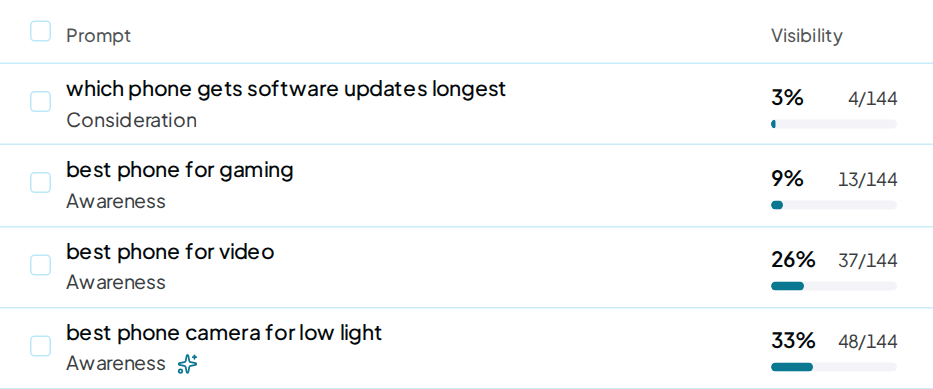
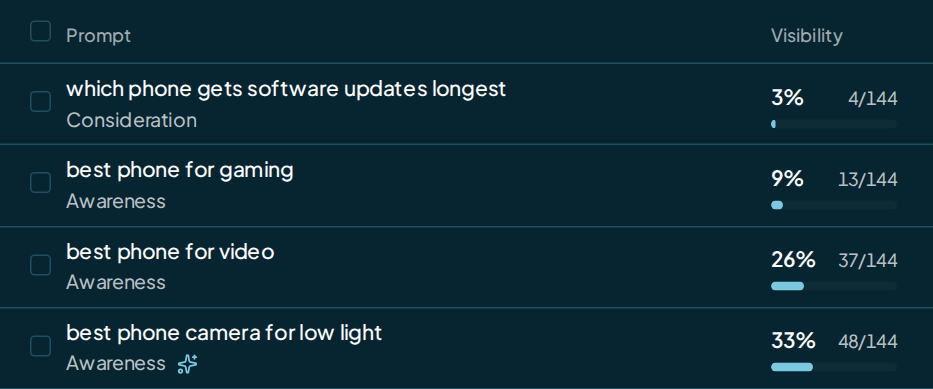
Open it
Pick Prompts under Results in the brand's sidebar. Overview and Insights link here too.
The buttons at the top
| Button | What it does |
|---|---|
| Run new prompts only | Asks just the prompts that have never been asked; it shows only when there are some |
| Run now | Asks every active prompt now, in place of the next scheduled run; the price is on the button |
| Import | Adds prompts from a CSV, text, Markdown, Excel or PDF file, in any language, free |
| Export | Downloads your prompts as a CSV file, free |
| Add prompts | Opens Create prompts with AI |
When new prompts haven't been asked yet, a banner offers both buttons.
Filter the list
The row under the header stays in view as you scroll.
- The time window, 7D, 30D, 3M or Custom, sets the Visibility numbers and the trend lines.
- Stage, AI model and Location each take one or more picks.
- More adds Written by, Branded and Movement. Movement keeps prompts you Lost or Gained in the last run, or that are New.
- The search box finds a prompt by its words.
The four tiles
| Tile | What it shows |
|---|---|
| Visibility | The share of answers that named you across the time window |
| Prompts named | Prompts at least one AI model named you on in the last run, and how many moved up or down |
| Best and Weakest | The AI model that named you on the most prompts in the last run, and the one that named you on the fewest |
The prompts table
The card shows Active or Paused prompts, 50 rows a page. A third tab, Needs rewording, appears while any prompt needs it. Sort with Worst first, Best first, Biggest change, Newest, A–Z or, where search demand shows, Most searched.
The row above the table narrows it to All prompts, one topic, or No topic. Manage topics opens Topics & Locations.
- Prompt shows the words, the stage and any location. A sparkle marks a prompt written with AI. A prompt with no city shows No city.
- Visibility is the share of answers naming you in the window, with the count beside it: 48/144 means 48 of 144 answers named you.
- The AI model cells show the last run: your place, or the rival named first.
- Active puts the prompt in or out of every run. Pausing is free, and a paused prompt costs nothing.
Search demand
The Search demand column scores each prompt by how much people search for its topic. Every brand has it.
- The bars run from 1 (very low) to 5 (very high). They count real Google searches a month for the prompt's main words, in its country.
- Hover the bars for the number, the words searched and the month.
- AI est. is an estimate of searches made with AI. Treat it as a guide.
- Fewer than 10 searches a month is a real Google figure. It shows as Very low.
- No data means Google has no figure for those words. It isn't charged.
- Not available means Google's figures don't cover the prompt's country. It isn't charged.
- — means the score isn't in yet. A new prompt's score comes within a day of its run.
- Prompts added later in the month join a shared lookup. Their scores come within a week, or with next month's refresh.
| Band | Searches a month |
|---|---|
| 1 Very low | under 100 |
| 2 Low | 100 to 999 |
| 3 Medium | 1,000 to 9,999 |
| 4 High | 10,000 to 99,999 |
| 5 Very high | 100,000 or more |
Scores refresh once a month. Each refresh is a Prompt score refresh on your price card, charged per prompt.
A prompt is charged at most once a month. Create prompts can fetch the score before you add it; if it does, the first run does not charge for that score again.
Prompts added by other routes are charged on the run that asks for their score. Each country is billed for at least 120 prompts a month.
Budget & Spending shows the refresh in that run's price and in Expected per month. A run never costs more than its price. A charged score that doesn't show within 7 days is given back.
The AI model strip
With up to 5 AI models, each one gets its own column, plus a Trend column. From 6 AI models, they fold into one AI models column with a switch in the filter row:
The two views
| View | What each row shows |
|---|---|
| Summary | Trend across the window, your average Position in the last run, and how many AI models named you |
| All AI models | One tile per AI model: you at your place, a rival named first, no brand named, or no answer |
In All AI models, click a row's tiles to list every model's result under it. The app remembers your view in this browser.
Change prompts
The ⋯ menu on a row, or on a prompt's page, holds these actions:
Every action, and what it costs
| Action | What it does | Cost |
|---|---|---|
| Edit wording… | A small fix keeps the history; new words start the trend over | Free |
| Move to topic… | Puts the prompt in another topic | Free |
| Set location… | Writes a city from your list into the prompt, with a preview | Free |
| Write 10 like this | Writes 10 new prompts in the same vein for you to review | One 10-prompt write |
| Delete… | Removes the prompt from every future run | Free |
Write 10 like this charges when you press Write variants, at the Prompt generation rate on the price card. The figure beside the menu item, and on the Write variants button, is the total for the whole write of 10.
The new prompts are written in English. They file under the same country as the prompt they came from.
To change many prompts at once, tick their rows. A bar offers Pause or Resume, Move to topic…, Set location… and Delete….
Countries
Every prompt belongs to your brand's country, and its row carries the country's flag.
- Needs a country: the prompt belongs to no country your brand holds. Click File under beside it to file it under your country.
- Needs rewording: a country change couldn't move this prompt's words, often because it isn't in English. Click the mark to open Edit wording and reword it by hand. Once saved, it goes back on the schedule.
A banner above the list names how many prompts need rewording. Its Review button opens the Needs rewording tab.
A brand with no country yet shows Paused until you pick a country, and its prompts read Waiting for your country. Pick one in Brand settings.
One prompt's page
Click a row to open the prompt's page. Prompts takes you back to the list as you left it, and the arrows step through it in order.
The top card shows the Topic, Stage, Location and the day it was Added, with the Active switch and the ⋯ menu. The page reads the same time window as the list, up to its last 8 runs.
Every card on a prompt's page
| Card | What it shows |
|---|---|
| Visibility, Position, Named by, Tone | This prompt's numbers across those runs |
| Visibility over runs | You against the 3 most-named rivals, run by run |
| Brands in these answers | Every brand named, with Visibility, Named first and Avg place |
| Answers by run | One row per run and one column per AI model |
| Results by AI model | Each model's share naming you, the rival that beat you most, and the site it cites most |
| Sources | The sites the answers to this prompt linked to |
| Latest answers | The last run's answers, word for word, with your name marked |
Read the answers
In Answers by run, the newest run sits on top. A cell shows your place when that answer named you, or the brand named first when it didn't. Click a cell to read that answer in full.
Read on a Latest answers card opens the full answer. View all answers at the foot jumps to Answers by run.
After you change a prompt's words, Earlier wording keeps the answers asked under the old ones.
Run now from Prompts
Run now shows the run's price on its face. Press it to see the quote: the prompts, the AI models and the price. Nothing is charged until the run starts asking, and it takes the place of your next scheduled run.
Run new prompts only asks just the prompts that have never been asked and adds their answers to your latest run. Your site isn't read again, and your schedule stays as it is.
Up to 3 runs can be queued or running per account. A greyed-out button says why when you hover it. See Run now.
Add prompts
Add prompts opens Create prompts with AI, which writes prompts from keywords, a web page or your business details. Nothing joins your list until you add it.
Import adds a file you wrote yourself, in any language, free. See Create prompts.
FAQ
Do paused prompts cost anything?
No. A paused prompt sits out every run and every price, and keeps its history. Resume it with its Active switch.
When does a new prompt get numbers?
On the next run. To ask it sooner, press Run new prompts only. That button needs one full run of the brand first.
What happens to a deleted prompt's answers?
They stay stored with your past runs, but no screen shows them while the prompt is gone. Add the same words again to bring the prompt and its answers back. To keep it without asking it, choose Pause instead in the delete dialog.