Act on results
Alerts
Get an email, or a message in your own tools, when a number moves for your brand or website.
Before you start
- A schedule: alerts come from the runs of your brand or website's schedule. Run now counts too.
- For a webhook: a public
https://address of your own service that accepts a POST. A Zapier hook works, and so do Slack, Discord and Microsoft Teams webhook URLs. Paste the final address: a redirect counts as a failed send. - For email: nothing to set up. Email alerts go to your account's email address.
Add a channel
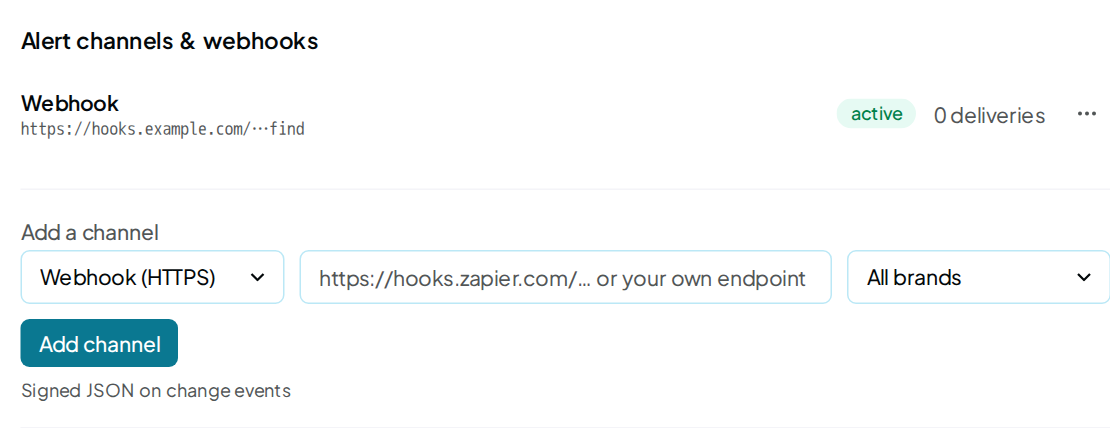
- Open Integrations › Alerts.
- Under Add a channel, pick Webhook (HTTPS) or Email.
- For a webhook, paste its URL. For email, remake uses your account’s email address.
- To limit the channel to one of your brands or websites, pick it in the next menu. All brands is the default.
- Click Add channel.
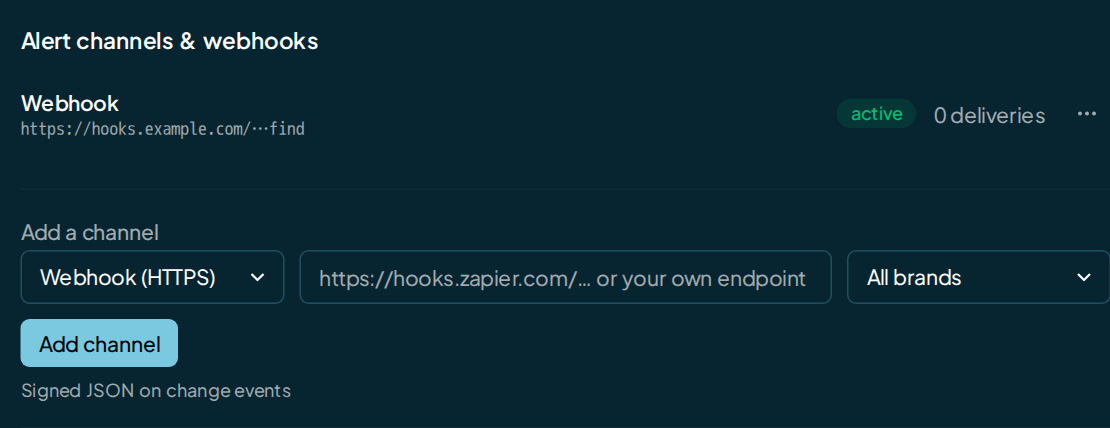
Your new channel joins the list with an active pill.
Send alerts to a chat app
For Slack, Discord or Microsoft Teams, paste the app's incoming-webhook URL with Webhook (HTTPS) picked. The address tells remake which app it is. You then get messages formatted for that app, and your list names the channel Slack, Discord or Teams.
For Teams, use a workflow webhook URL. If you need the signed JSON body that Webhooks describes, use a plain webhook address.
What sends an alert
Each run of your schedule is compared with the run before it. If nothing moved, you get nothing. Run now from the app, the API or your AI assistant works the same way.
| Event | When it's sent |
|---|---|
visibility.moved |
Your Visibility changed by any amount. |
score.moved |
Your Overall score rose or fell by 5 points or more. |
rival.top3 |
A rival entered the 3 rivals the answers name most. |
ai_model.first |
An AI model named you this run, after naming you in none of its answers the run before. |
scan.failed |
A run of your schedule failed. |
fix.verified |
Your changes were confirmed live again from a shared report or by your AI assistant. |
scan_complete |
A Run now started through the API or MCP finished or failed. Plain webhook channels only. |
test |
You clicked Send test. |
digest.weekly, digest.test |
The Slack digest went out, or you tested it. |
A few rules decide what reaches you:
- First run: your brand or website's first run sends no change alerts. There is nothing to compare it with.
- Cap: you get at most 4 change alerts from one run.
- Quiet runs: Run new prompts only and bulk runs send no alerts.
- Ignored brands: a brand you ignored on Insights never sets off
rival.top3.
Choose which brands a channel hears
Your channel hears every brand or website, or exactly one. You set this per brand in Brand settings › Notifications.
- Open the brand or website, then Brand settings.
- Click the Notifications tab.
- Turn on Only this brand next to the channel.
Turn the switch off and the channel hears all your brands again.
Get a weekly Slack digest
The Slack digest card posts you one summary a week instead of single alerts. Each of your brands or websites with a schedule gets a line: score, Visibility, runs, fixes verified and failed runs.
- In Slack, create an incoming webhook and copy its URL.
- Paste it into the Slack digest card.
- Click Connect Slack.
You get the first digest within a day. One message lists up to 8 brands.
Check it worked
- In your channel list, open the menu at the end of the row.
- Click Send test.
- Look for the test alert in your inbox, Slack channel or endpoint.
- Scroll to the Delivery log. The newest row shows the event
testwith the status sent.
The log shows your newest 20 deliveries across all your channels. Each delivery gets 3 tries. A row reads sent, failed or dead.
FAQ
Why does my channel say paused?
Your last 5 deliveries to it failed, so remake stopped sending. The last one shows as dead in your Delivery log. Fix your endpoint, then remove the channel and add it again.
Can email alerts go to another address?
Email alerts go to your account’s email address. To reach a shared inbox, use a webhook to Zapier and forward the alerts from there.
Will an alert tell me a run finished?
Only for a Run now started through the API or MCP. It sends
scan_complete to your plain webhook channels.
For any other run, you get an alert only when a number moved, a run failed or your changes were confirmed live again. To know one finished, read it through the API.
Do alerts cost anything?
No. Alerts and the digest are free. The runs behind them draw from your wallet as usual.