Set up and tune
Create prompts
Add the prompts remake asks AI models about your business. Write them with AI, or add your own for free.
Before you start
- A brand set up, for your own website or a client's. See Set up your brand.
- Credit in your wallet, if you write with AI.
- The account owner's sign-in. A Viewer can look but can't add prompts.
Open Create prompts
- Open Prompts.
- Click Add prompts.
Create prompts with AI opens on the From keywords tab. You can also press ⌘K (Ctrl+K on Windows) and pick Add prompt.
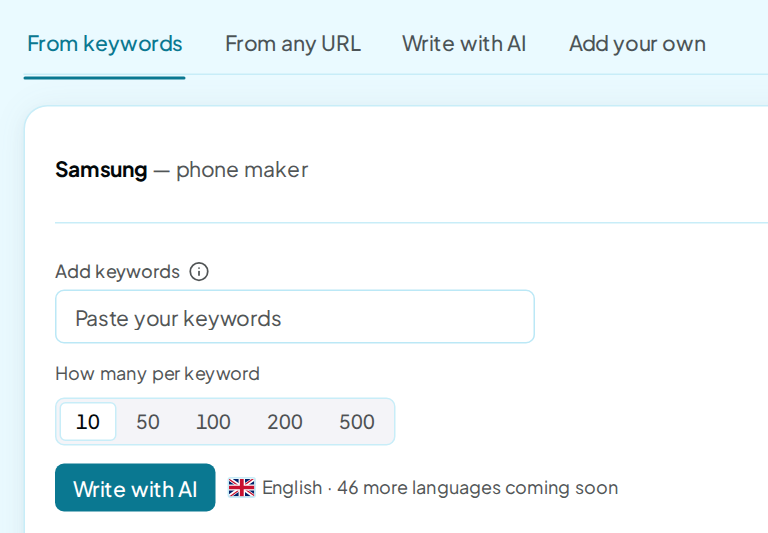
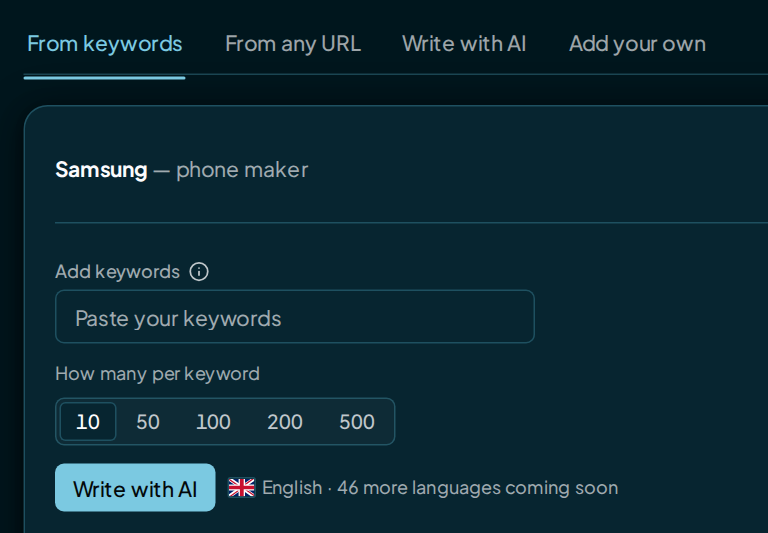
The top-right line shows how many prompts the click writes and the most it can cost. Tick Show search demand before Add to see demand before choosing prompts; the price then includes that charge.
The info icon beside the box explains the charge. See rates opens the full rates.
Over 100 prompts, you confirm before anything is written. One click writes 500 prompts at most.
Write from keywords
- Open the From keywords tab.
- Paste up to 25 keywords into Add keywords, separated by commas.
- Under How many per keyword, pick 10, 50, 100, 200 or 500.
- Under Topics, leave Auto or tick the topics to write for.
- Click Write with AI.
Each keyword gets its own set for every topic you tick. So 3 keywords at 10 each, under 2 topics, make 60 prompts.
Write from a web page
- Open the From any URL tab.
- Check the address in Add URL. It starts as your own website.
- Under How many to write, pick 10, 50, 100, 200 or 500.
- Pick your Topics.
- Click Write with AI.
For your own website, we use its description and the business details in Brand settings when available. This keeps examples on the page from becoming prompts about products you don't sell. If neither is available, we use the page text.
For another URL, we use that site's page text. The prompts still land on your brand. The site read adds $0.01, which the price line leaves out.
Write a larger set with AI
- Open the Write with AI tab.
- Check Category, Services and Audience.
- Under Topics, leave Auto or tick topics.
- Under How many to write, pick 50, 100, 200 or 500.
- Click Write with AI.
The 3 details start from your Brand settings. Changes here apply to this write only, and Reset brings back the saved ones. Ticked topics share the count in sets of 10, at least 10 each.
Pick the prompts to keep
Before Write, tick Show search demand before Add if you want estimates while choosing prompts. The price above the form then includes the lookup.
The charge applies even if you keep none of the prompts. Leave the box unticked to write without buying candidate scores.
When chosen, the candidate list shows an estimate beside each prompt where Google has data. The bars reflect related Google searches, not how often people ask AI that exact question.
A lookup with no figure reads No data; one still in progress reads Checking. Unavailable means we could not get the figure this time. You can still keep the prompt.
- Read the list in the Candidates window. Nothing is on your list yet.
- Tick the prompts you want.
- Click Add 20 to the library. The number matches how many you ticked.
Closing the window keeps the written prompts, and 20 candidates · review reopens it. They're also waiting if you leave and come back. To throw them away, click Clear, then Discard.
Add your own prompts
Adding your own prompts is free, with no limit on how many. They can be in any language.
- Open the Add your own tab.
- Type one prompt per line, or paste a list or a CSV with a prompt column.
- Click Add.
To add a file instead, click Upload a file on the same tab, or Import on Prompts. Both take CSV, Excel, PDF, Markdown or plain text, one prompt per line.
Prompts already on your list are skipped. In a CSV, head the first column prompt; topic, branded and country columns are read too. If your brand has a schedule and your balance can't cover its next run with them, imported prompts arrive paused.
A row whose country isn't your brand's is skipped, and the message names that country.
In Set Up Brand, the Add your own tab does the same.
Write 10 like this
- On Prompts, open a prompt's ⋯ menu.
- Choose Write 10 like this.
- Pick a Location and a Topic.
- Click Write variants.
- Tick the ones you want, then click Add 10 to the prompts.
Each use writes 1 set of 10 new wordings and costs $0.10. They file under the same country as the prompt they came from.
Language and country
- The AI writes every prompt in English, whatever your country. Each write button carries the line English · 46 more languages coming soon.
- Prompts you add yourself keep their own language. The Add your own tab says Any language · free.
- Your brand's country sets the place words the AI writes, such as "in Switzerland". Every new prompt files under it.
- Neither changes where AI models are asked from. The place only appears in the prompt's words.
A brand with no country yet can't write with AI. The write buttons open Pick your country first; pick it in Brand settings. Adding your own prompts still works.
Check it worked
- Look for Added to library · 20 prompts under the tabs.
- Click See them in the library ›.
- Sort the list by Newest. Your new prompts are at the top, and AI-written ones carry a sparkle mark.
New prompts are asked on your next run. After your first run, a banner offers Run new prompts only to ask them right away. See Run now.
FAQ
How much does writing prompts cost?
$0.01 for each prompt the AI writes. On Create prompts, repeats inside one write are dropped and never charged. All rates are on Prices and limits.
Do I pay for prompts I don't add?
Yes. You pay for every prompt the AI writes, whether or not you add it to your list.
What if a write fails?
The screen says the AI models couldn't write. The part that failed on our side is refunded, so try again.
What if the writer stops partway?
You keep the prompts it wrote and pay for those only. A warning says how many, such as "The AI writer stopped early · 20 of 50 prompts written · you're charged for these 20 only". If your wallet ran out, it starts "Your wallet ran out" instead.
Is there a limit on prompts?
Your list has no limit. One click writes up to 500, and each prompt keeps up to 200 characters.