Share results
Share a report
Share one run's results as a live link, a PDF or a panel on your own website. Anyone with the link can read the report without signing in.
Before you start
- A brand with at least one finished run.
- Your own name and logo on the report, if you want them. Set them on White label first.
Making, opening and downloading reports is free. They are built from runs you already paid for.
Make a report
- Open the brand's Overview.
- Click Generate report at the top right.
- Under Pick the run, choose the run to share. The latest is picked first.
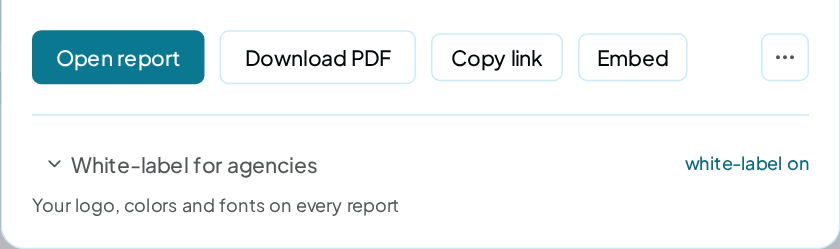
- Pick how to share it: Open report, Download PDF, Copy link or Embed.
Each run in the list shows its report score and how it moved since the run before.
You can also open a report from Workspaces: open a brand's ⋯ menu and click Report.
Share the link
Copy link copies the report's address to your clipboard. It lives on app.tryremake.com, and anyone with it can open the report.
- The link never expires.
- It shows the brand as it stood at that run. A newer run gets its own link.
- Deleting the brand keeps the link working.
- Deleting your account removes every report and its link.
A link can't be switched off on its own, so share it only with people who should see the results.
What the report shows
The report is one page with a bar to jump between its sections: Overview, Rivals, AI models, Questions, Perception, Sources, Website and Fix plan.
The cover shows how often AI names your brand, your Overall score and your main numbers. The sections show rivals, each AI model, each prompt's answers, tone, sources, the website checks and the fixes. A last section says how the report was made.
Your private notes in Brand settings never appear in your report.
Download the PDF
Click Download PDF in the dialog, or on the report page itself. The PDF holds the same report, with a contents page.
Embed it on a website
- In the dialog, click Embed.
- Copy the snippet it shows.
- Paste it into a page on your website or your client's.
The snippet looks like this, with your own report's address:
<iframe src="https://app.tryremake.com/embed/YOUR_REPORT" title="Visibility · samsung.com" width="100%" height="720" style="border:0" loading="lazy"></iframe>
The panel shows the score, Visibility by AI model, the share of recommendations and the trend. With white label on, it carries your name.
Other formats
The ⋯ menu beside the buttons offers Raw HTML, to download the report as one file, and Pitch page, a one-page summary for a prospect.
White label
With an agency name or a logo saved on White label, every report link, PDF and embed carries your brand and no remake mark. The White-label for agencies section of the dialog holds the same settings.
Running fixes from the report
The Fix plan section has a Check the fixes are live button. Anyone with the link can press it, such as a client's web developer.
Each run is charged to you
The re-check is charged to the wallet of the account that owns the report, at the Fix verification rate on the price card. A site that blocks automatic reading adds an unblocking charge.
Each site can be run once a minute and one at a time, and a report's link allows 20 runs in any 24 hours.
If a run can't run, because your wallet can't cover it or it fails on our side, nothing is charged. The report keeps showing the last completed run with its date.
Export the data
| Data | Where |
|---|---|
| Your prompts and their results | Export on the Prompts page |
| The rivals board | Export CSV on the Insights rivals board |
| Your sources | Export CSV in the Insights sources section |
| Any chart | Export CSV in the chart's ⋯ menu |
| A workspace's spend this month | Export CSV on a workspace in Workspaces |
Exports are CSV files and free.
Check it worked
Open the copied link in a private browser window. The report opens with no sign-in. With white label on, your name and logo are on the cover.
FAQ
Can I take a report link back?
No. A link can't be switched off, and it never expires. Share it only with people who should see the results.
Does my client need an account?
No. Anyone with the link can read the report and download the PDF.
Why does an old link show old numbers?
Each link belongs to one run. Make a new report after each run you want to share.